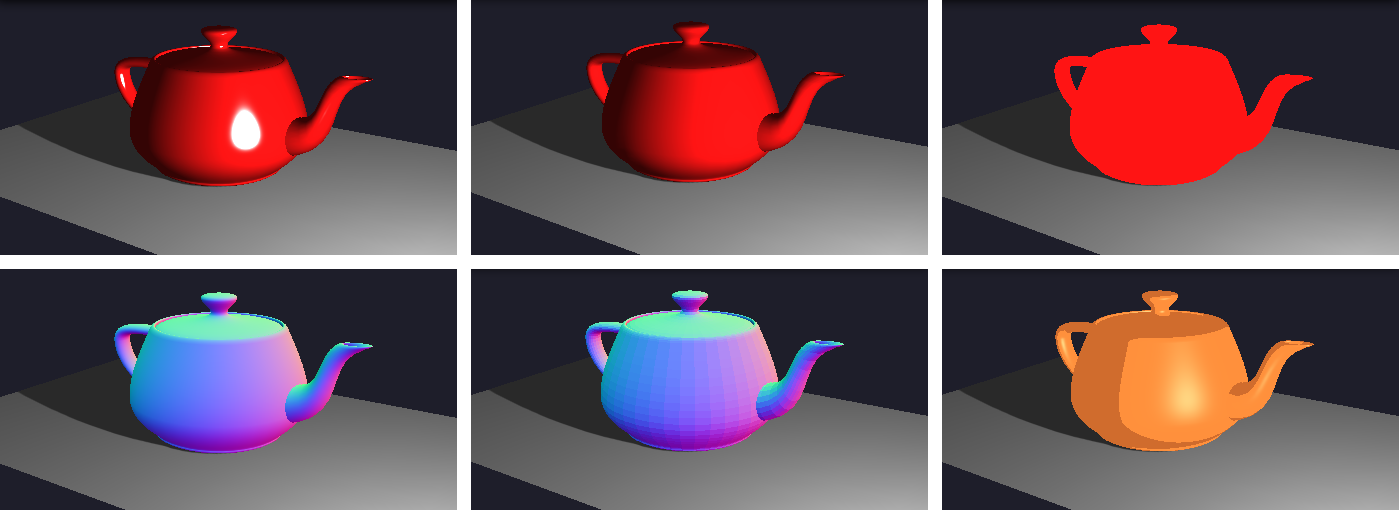
One element as important as lights to set the appearance of a scene is the materials used in the scene objects. Defining a material to an object means defining the algorithm the object will use to interact with the lights available in the scene. In this example you will see the most common materials available in Threejs applied to the Utah Teapot.
Open in a new tabIn Threejs we must define materials prior the definition of the mesh. By the way, the material to be used is one of the parameters required to define a mesh. See the example below how we applied the Phong Material in the desired object.
		var material = new THREE.MeshPhongMaterial({
			color:"rgb(255,20,20)",     // Main color of the object
			shininess:"200",            // Shininess of the object
			specular:"rgb(255,255,255)" // Color of the specular component
		});

		var geometry = new TeapotGeometry(0.5);

		var obj = new THREE.Mesh(geometry, material);
			obj.castShadow = true;
			obj.visible = visibility;
			obj.position.set(0.0, 0.5, 0.0);

		scene.add( obj );
In the example presented here we show the use of Phong and Gouraud materials (the most common), smooth normal material (maps the normal vectors to RGB colors), and flat normal material (using flat shading), toon material (use toon shading), solid basic material (just a solid color) and its wireframe visualization.